Go back
Redesigning Key Screens in HR Tech to Reduce Time per Task
A redesign project that redefined how I see the connection between aesthetics and usability.
This project started as a personal challenge. Every year, I revisit old work to sharpen my visual craft, and after 1.5 years at Calyptus, I wanted to push some of our most complex screens: the user profile, job pool, and onboarding flow. These pages carried a lot of information but not enough clarity. My goal was to cut visual noise, strengthen hierarchy, and help users move faster with less effort.
User Profile
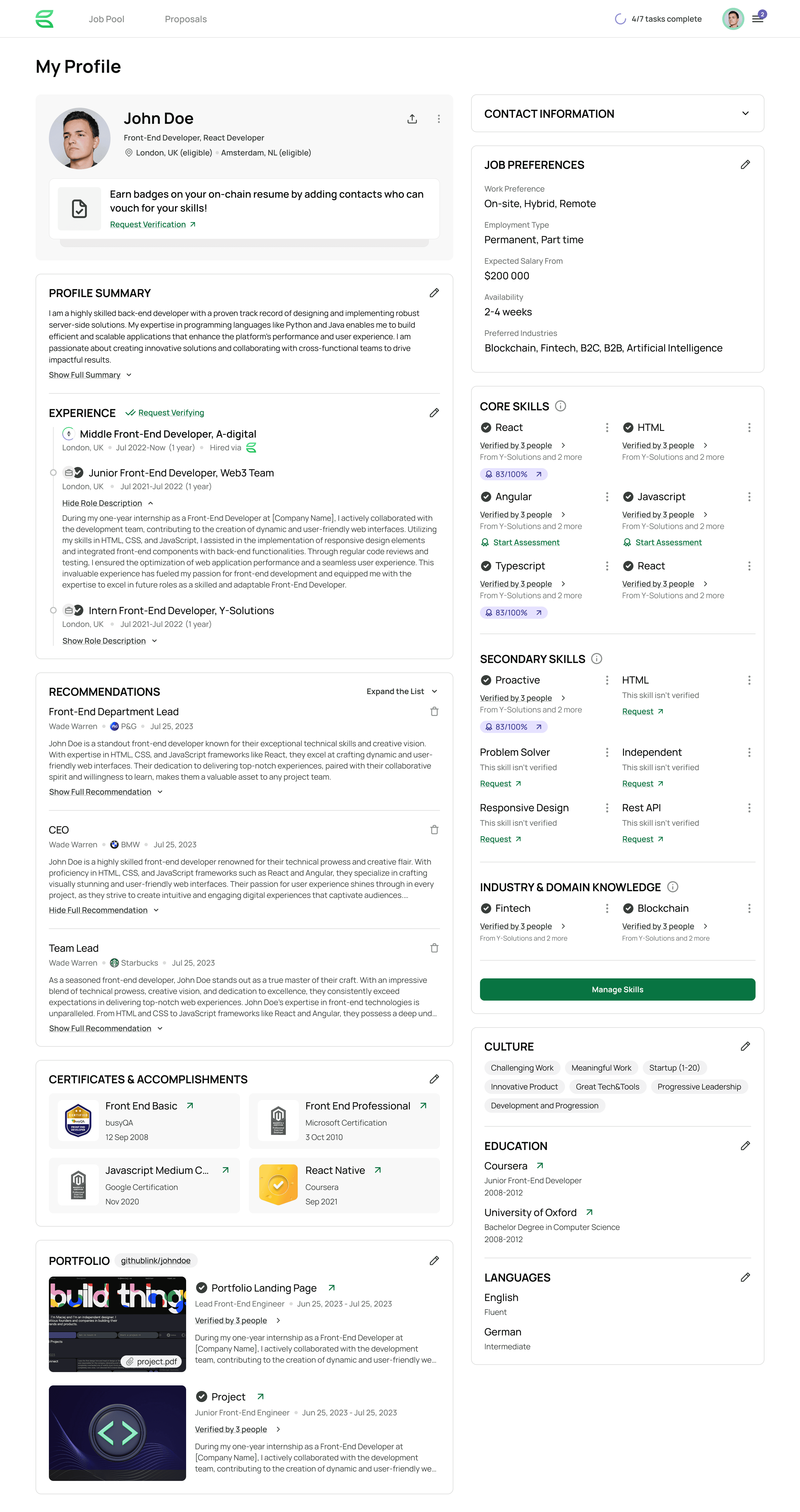
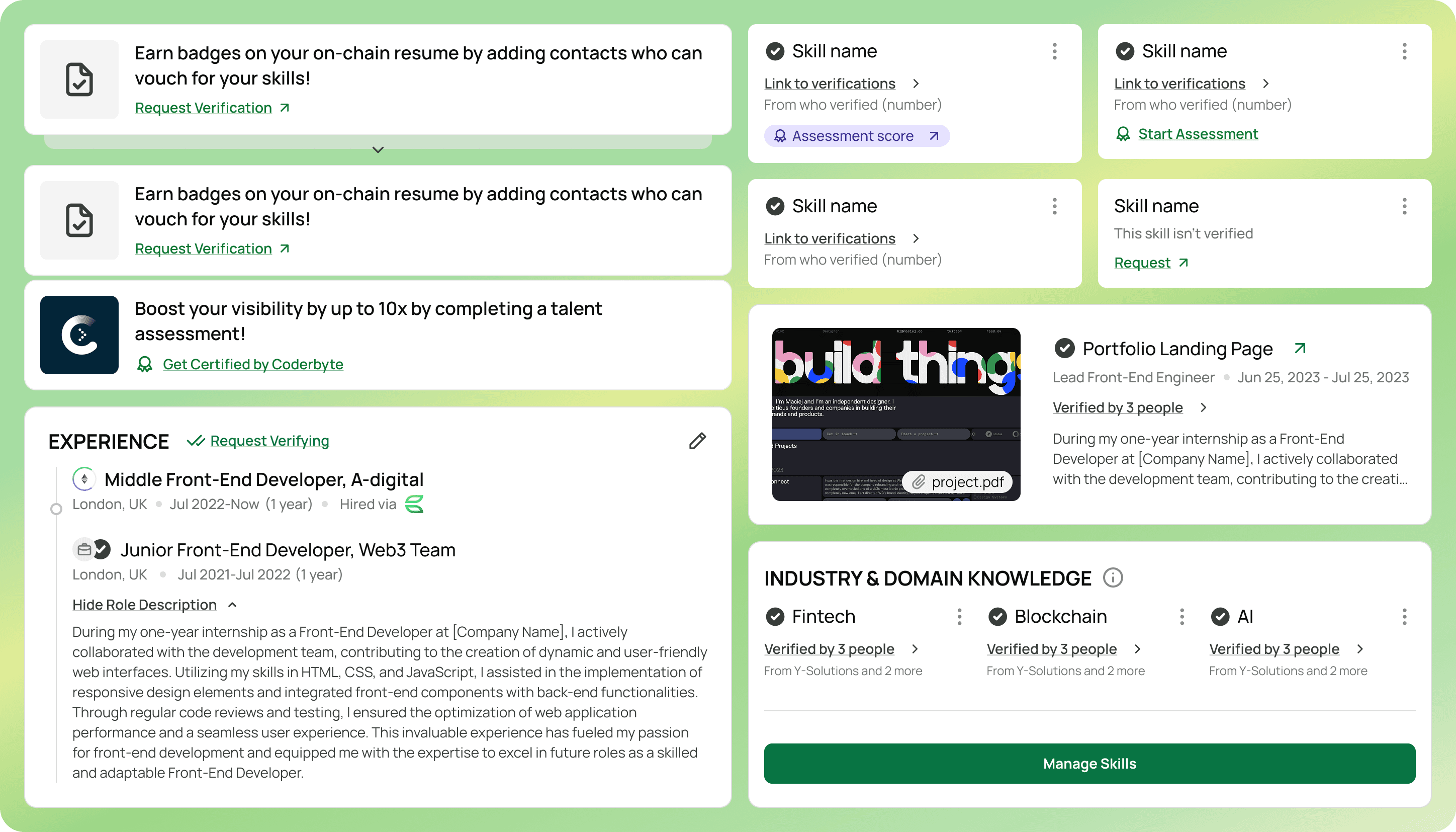
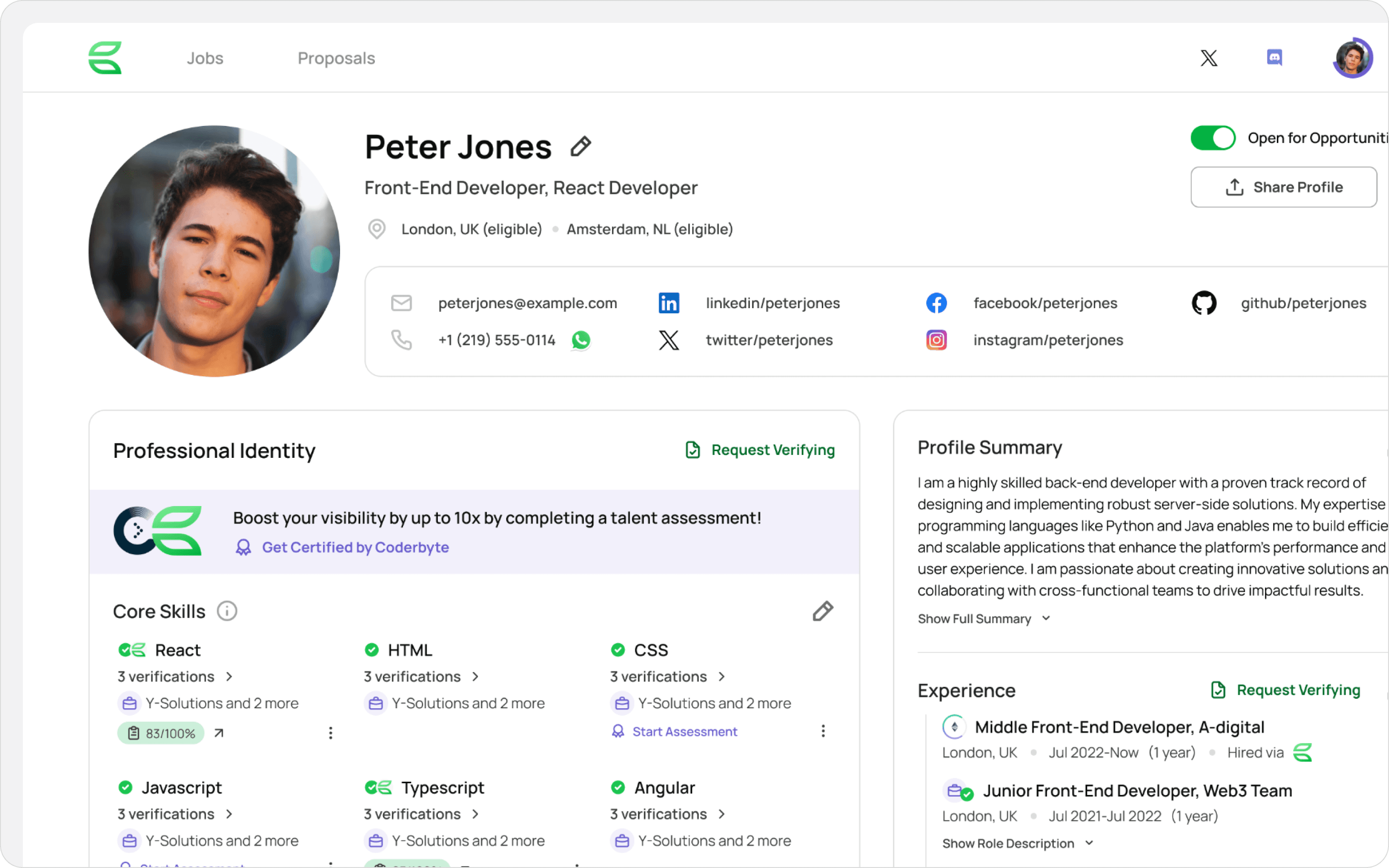
The profile is the heart of Calyptus. It’s where engineers present their skills and where matches are built. The old version felt dense, almost claustrophobic. Important details blended together, and the page lacked a calm structure.
I redesigned it to feel more like a clean, confident dashboard: clear spacing, stronger typography, and a visual flow that guides both candidates and recruiters toward what matters most.
Job Pool
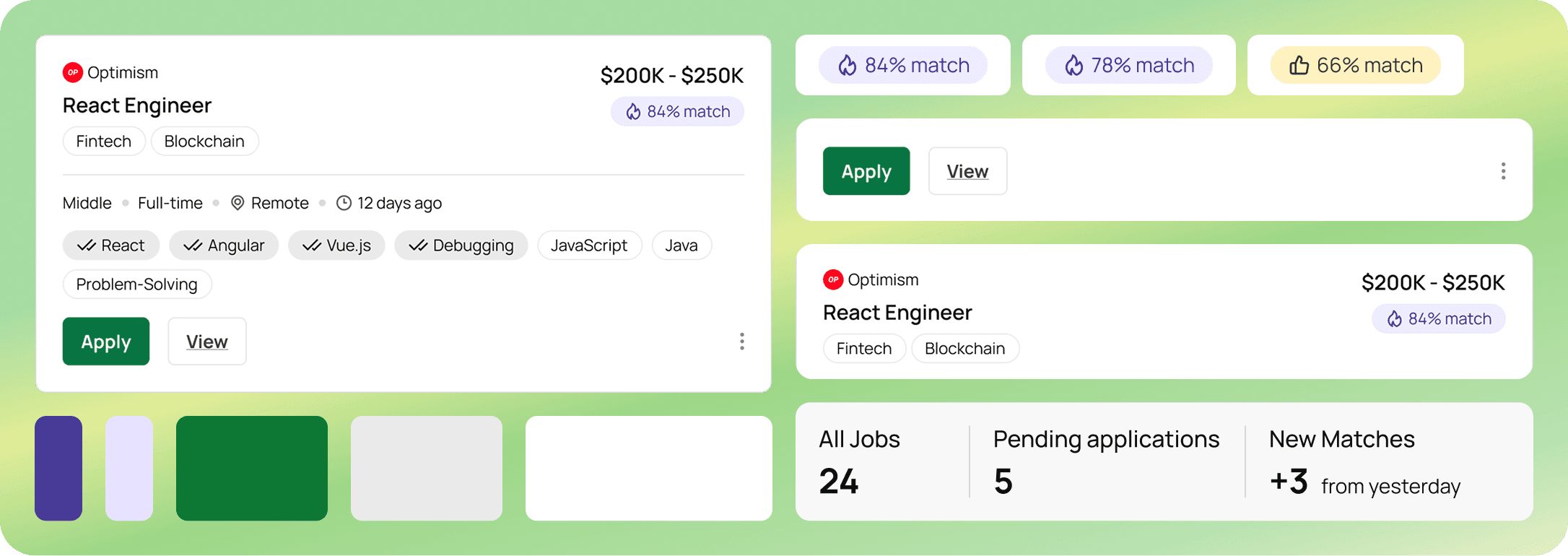
The Job Pool helps candidates explore opportunities. Before, it felt like a long, flat list. I reorganized the layout into meaningful groups, added consistent spacing, and built visual anchors that make scanning effortless. The page now leads the eye instead of demanding extra effort.
Onboarding
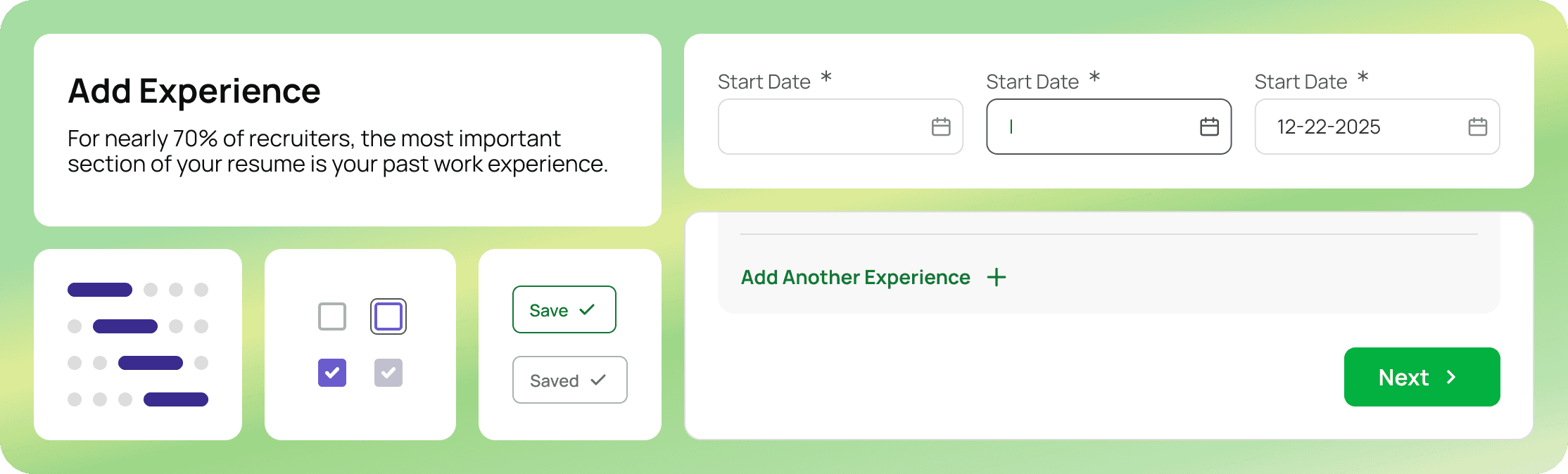
Onboarding is a candidate’s first step into the platform, but the original flow felt overwhelming. I simplified each step, added clear progress cues, and removed unnecessary distractions.
What used to feel like a checklist now feels like guided momentum - encouraging and easy to follow.
Main Challenges
The core issue across all screens was cognitive overload. Too many elements competed for attention, creating clutter and slowing people down.
Heavy visual noise and tight spacing
Weak hierarchy between sections
Low contrast and accessibility gaps
Color used without intention
What I Did
My focus was simple: reduce cognitive load and let users get to value faster.
Checking color and type against APCA (WCAG 3.0)
Reducing color noise and reserving brand color for key actions
Creating a clearer hierarchy through consistent typography and spacing
Establishing visual rhythm to make dense layouts feel lighter and more coherent
Summary
This redesign was about reducing friction and creating visual clarity that helps people move through complex information with ease. I focused on making every screen feel lighter, more structured, and purposeful, so users can focus on what truly matters, not just what’s on screen.
My Lessons
Accessibility sharpens design thinking
Revisiting old work with accessibility in mind changed how I see visual balance. Checking contrast, rhythm, and type against updated standards made the designs not only easier to use but also more intentional and refined.
Emotion is a function, not decoration
I used to see aesthetics as the final polish. Now I see it as a tool for trust and focus. Thoughtful visuals guide attention and make people feel supported - an emotional response that directly improves the experience.
Get in touch
I’m always interested in exploring new opportunities, collaborating, or exchanging ideas with like-minded individuals. Feel free to email me or connect on LinkedIn if you'd like to discuss an open product designer or ux/ui designer position or a potential project.